Lecture 02: Being Selective with SQL
DATA 351: Data Management with SQL
January 14, 2026
Announcements
Today’s Agenda
We will cover all the SQL you need for the assignment today
Topics:
- SELECT and column aliases
- WHERE clause and filtering
- Combining conditions with AND/OR
- ORDER BY for sorting
- LIMIT for restricting results
About Homework 1
- Uses the Stack Overflow 2025 Developer Survey dataset
- 10 SQL queries exploring developer demographics, AI attitudes, and work preferences
- Autograded through CodeGrade
- Each query builds on today’s concepts
Review
Quick Review
What do you think this query will return?
All columns and all rows from the survey25 table.
Review Question
Which SQL keyword do you think you would use to retrieve only the unique values in a column?
A. UNIQUE
B. SINGLE
C. DISTINCT
D. DIFFERENT
Answer: C - DISTINCT returns only unique values
Selecting Columns
The SELECT Statement
The most fundamental SQL operation is selecting data from a table.
Basic syntax:
This returns the specified columns for every row in the table.
Selecting All Columns
Use the asterisk * to select all columns:
Useful for exploration, but in practice you should specify only the columns you need.
Selecting Specific Columns
For the developer survey, we might want just a few columns:
This returns only those three columns for all respondents.
Why Be Selective?
Selecting only needed columns has benefits:
- Performance: Less data to transfer and process
- Clarity: Results are easier to read and understand
- Memory: Reduces memory usage for large tables
Column Aliases with AS
Sometimes column names are unclear or too long. Use AS to rename them in your output:
The original table is unchanged; only the output uses the new names.
Alias Syntax Options
Both of these work in PostgreSQL:
Use AS for readability.
When to Use Aliases
Aliases are helpful when:
- Column names are cryptic (
i_cor_pmbecomesrole_type) - You want more descriptive output (
converted_comp_yearlybecomessalary_usd) - Column names contain special characters
- You need to distinguish columns from different tables (joins)
Think-Pair-Share: Column Selection
Think (1 min): Write a query to select the dev_type and remote_work columns from survey25, renaming them to job_title and work_style.
Pair (2 min): Compare your answer with a neighbor.
Share: Let’s see some solutions!
Filtering with WHERE
Why Filter?
Real databases have thousands or millions of rows. You rarely want all of them.
The WHERE clause filters rows based on conditions:
Basic Equality Filter
Find all remote workers:
Note: String values must be in single quotes.
Comparison Operators
SQL provides several comparison operators:
| Operator | Meaning |
|---|---|
= |
Equal to |
<> or != |
Not equal to |
> |
Greater than |
< |
Less than |
>= |
Greater than or equal |
<= |
Less than or equal |
Numeric Comparisons
Find developers with more than 15 years of work experience:
No quotes needed for numbers.
String Comparisons
Find developers in Canada:
String comparisons are case-sensitive by default.
Understanding Check
What will this query return?
A. All developers aged exactly 18 to 24
B. All developers with age column containing that exact string
C. An error because age should be a number
D. Nothing because no one is exactly that age
Answer: B - The age column contains text values like ‘18-24 years old’
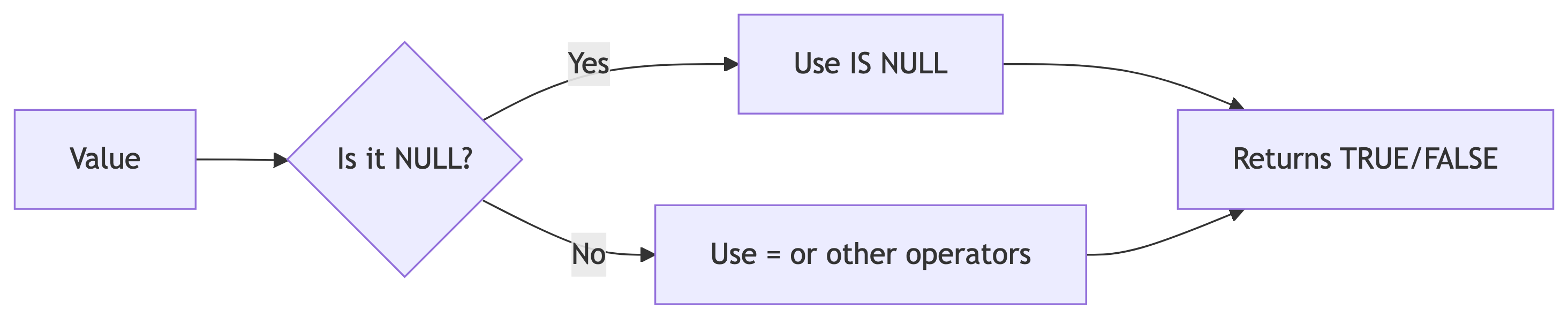
The Problem with NULL
NULL represents missing or unknown data. It behaves strangely:
This returns zero rows because NULL comparisons always return NULL, not true or false.
IS NULL and IS NOT NULL
To check for NULL values, use special syntax:
NULL Visualization
Think-Pair-Share: Filtering
Think (1 min): Write a query to find all developers who believe AI is a threat to their job (ai_threat = 'Yes').
Pair (2 min): Share with a neighbor.
Share: What columns would be interesting to include?
Combining Conditions
Multiple Conditions with AND
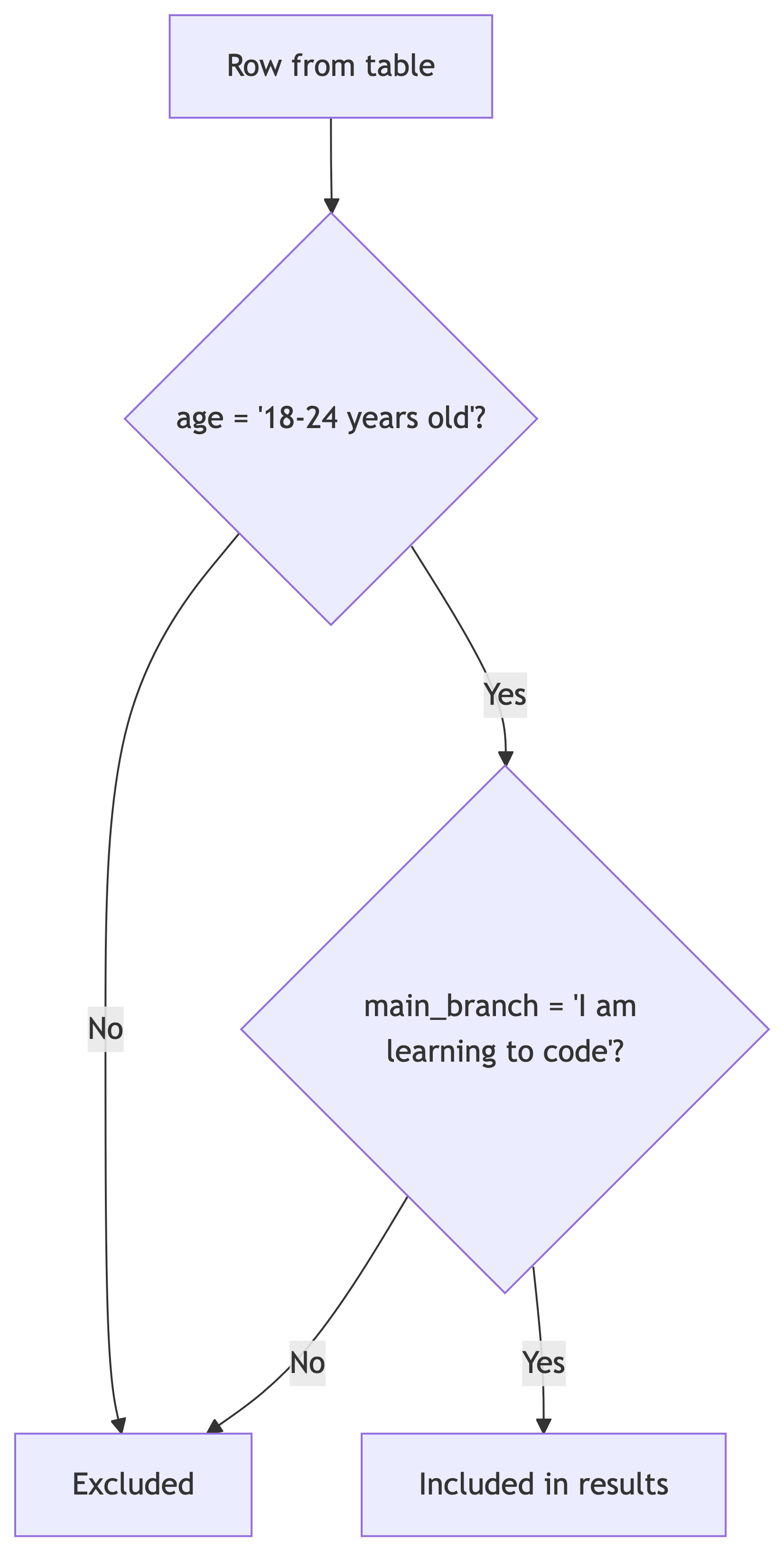
Often you need to filter on multiple criteria. Use AND when all conditions must be true:
AND Logic Visualized
Multiple Conditions with OR
Use OR when any condition being true is sufficient:
AND vs OR
| Operator | Behavior | Use When |
|---|---|---|
AND |
All conditions must be true | Narrowing results |
OR |
At least one must be true | Expanding results |
Order of Operations
AND has higher precedence than OR. Use parentheses to be explicit:
Real Example: AI Enthusiasts
Find developers who use AI daily AND have very favorable AI sentiment:
Understanding Check
How many conditions must be true for a row to be returned?
A. At least one
B. At least two
C. All three
D. Exactly one
Answer: C - With AND, all conditions must be true
Think-Pair-Share: Combined Filters
Think (2 min): Write a query to find full-stack developers (dev_type = 'Developer, full-stack') with more than 15 years of experience.
Pair (2 min): Compare queries with your neighbor.
Sorting with ORDER BY
Why Sort Results?
Without explicit ordering, SQL returns rows in an unpredictable order.
Use ORDER BY to sort your results:
Ascending Order (Default)
Sort developers by years of experience (lowest first):
ASC (ascending) is the default and can be omitted.
Descending Order
Sort by salary (highest first):
ORDER BY with Aliases
You can order by a column alias:
Or use the original column name. Both work.
Sorting Text Columns
Text is sorted alphabetically:
Sorting depends on the database collation (locale settings).
NULL Values in Sorting
By default in PostgreSQL:
ASC: NULLs appear lastDESC: NULLs appear first
You can control this:
Sorting Flow

ORDER BY is processed after filtering.
Limiting Results
The LIMIT Clause
Sometimes you only want a few rows. Use LIMIT:
This returns only the top 10 highest earners.
LIMIT Position
LIMIT always comes last in the query:
Common LIMIT Use Cases
LIMIT is useful for:
- Finding top N or bottom N results
- Sampling data to understand table structure
- Pagination (showing results in pages)
- Testing queries on large tables
Top 5 Happiest Developers
Understanding Check
What does this query return?
A. The 3 most experienced developers
B. The 3 least experienced developers
C. 3 random developers
D. An error
Answer: B - ASC sorts lowest first, LIMIT 3 takes the first three
Putting It All Together
Query Order of Execution
When SQL runs your query, it processes clauses in this order:
FROM- Which table?WHERE- Which rows match?SELECT- Which columns?ORDER BY- How to sort?LIMIT- How many rows?
Query Writing Order
You write queries in this order:
Complete Example
Find the top 10 highest-paid developers with valid salary data:
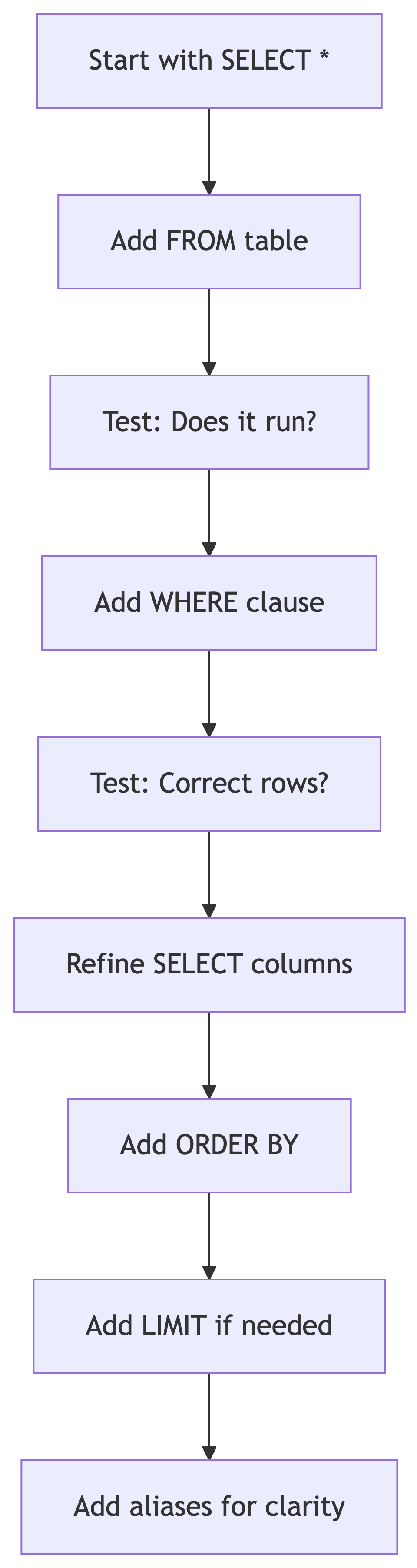
Query Building Strategy
Think-Pair-Share: Complete Query
Think (3 min): Write a query to find developers with less than 3 years of experience at companies with 10,000+ employees. Order by experience (lowest first).
Pair (2 min): Compare with your neighbor.
Practice Problems
Practice 1: Stack Overflow Power Users
Write a query to find developers who:
- Visit Stack Overflow multiple times per day
- Definitely consider themselves community members
Show their response_id, years_code, and relevant columns with good aliases.
Practice 2: AI Skeptics
Write a query to find developers in Software Development who believe AI threatens their job.
Practice 3: Happy Remote Workers
Write a query to find the 5 happiest developers. Exclude NULL satisfaction scores.
Common Mistakes
Mistake 1: Wrong Quotes
Double quotes are for identifiers (column/table names), not string values.
Mistake 2: NULL Comparisons
Mistake 3: Case Sensitivity
String comparisons are case-sensitive. Check your data values.
Mistake 4: Missing Quotes
Mistake 5: Wrong Clause Order
Summary
Key Concepts
Today we covered:
SELECTspecifies which columns to returnAScreates column aliases for clearer outputWHEREfilters rows based on conditionsAND/ORcombine multiple conditionsIS NULLandIS NOT NULLhandle missing dataORDER BYsorts results (ASC or DESC)LIMITrestricts the number of rows returned
Query Template
For Homework 1
You now have all the tools needed:
- 10 queries using the Stack Overflow survey
- Each builds on these concepts
- Test your queries before submitting
- Pay attention to exact column aliases
- String values must match exactly
Next Class
We will cover:
- More advanced filtering with
BETWEENandIN - Pattern matching with
LIKEandILIKE - Working with dates and times
Read Chapter 3 before next class.